Webcam model privacy and safety should be considered before your first broadcast, not after something goes wrong.
Working online means sharing part of yourself publicly. That doesn’t mean you have to share your real name, home address, personal social accounts, or other information that could identify where you live.
No privacy measure can guarantee complete anonymity. However, a few good habits can greatly reduce unnecessary exposure.
Here are some practical steps every new webcam model should consider.
1. Create a Separate Model Identity
One of the simplest ways to protect your privacy is to keep your camming identity separate from your personal life.
Choose a stage name that is not connected to your:
- Real first or last name
- Personal username
- Regular email address
- Date of birth
- Workplace
- School
- Home city
- Existing social-media accounts
Before choosing a stage name, search for it online.
Make sure the same username isn’t already connected to one of your personal accounts.
Once you choose your model identity, use it consistently for your professional presence.
2. Create a Separate Email Address
Set up an email account specifically for your modelling work.
Use it for your cam-platform accounts, creator tools and other business-related services.
Avoid using an email address containing your full legal name.
Keeping personal and model email separate also makes it easier to recognize suspicious messages claiming to be from a platform.
Never give someone a login verification code simply because they claim to work for a cam site.
3. Protect Your Accounts
Your cam account may eventually contain earnings, private messages and personal information, so account security matters.
Use a different password for every important account.
Long, unique passwords or a password manager can make this much easier.
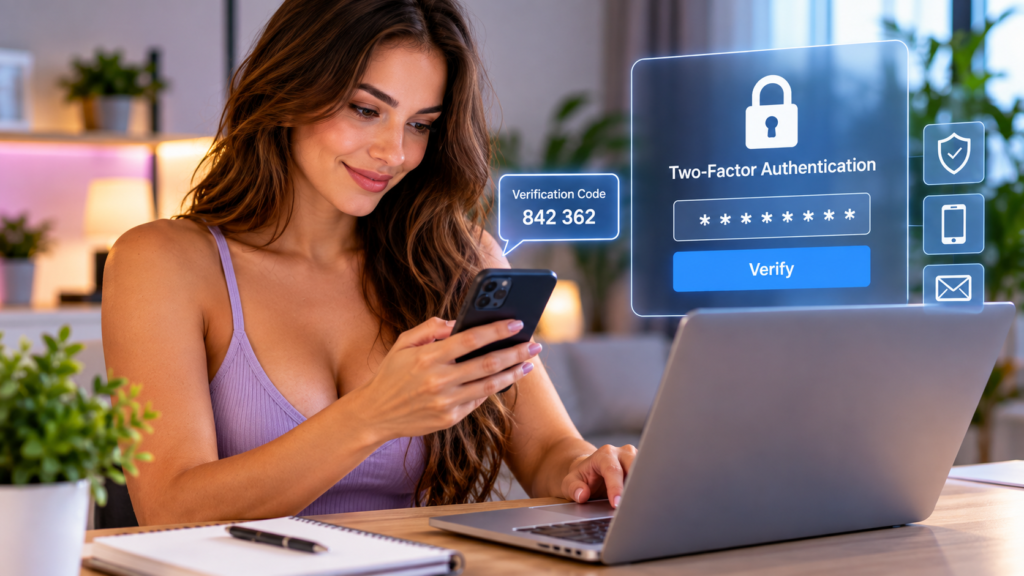
Turn on two-factor authentication whenever the platform offers it.
An authenticator app or security key can provide stronger protection than relying on a password alone.
Your email account is especially important because someone who gains access to your email may be able to reset passwords for several other accounts.
Protect it accordingly.
4. Don’t Reveal Your Exact Location
Casual conversation can reveal more than you realize.
A viewer might ask:
“Where are you from?”
There is nothing unusual about the question, but you don’t have to give a precise answer.
Instead of naming your neighbourhood or small town, you might give only your country, region or another broad location you’re comfortable sharing.
Also be careful about mentioning:
- Your employer
- Nearby businesses
- Your regular gym
- Your school
- Your daily schedule
- Local events
- Landmarks near your home
Small pieces of information can become more revealing when someone puts them together.
5. Look Carefully at What’s Behind You
Your room can reveal personal information too.
Before broadcasting, check the camera frame.
Look for:
- Mail or packages with your address
- Family photographs
- Certificates or documents
- Work uniforms
- School logos
- Street signs through a window
- Vehicle licence plates
- Medication labels
- Anything showing your full name
Even something that seems insignificant can provide clues about your identity.
A simple, controlled background is usually safer.
6. Be Careful With Photos
Photos shared outside a cam platform can sometimes reveal more than the image itself.
Before posting photographs publicly, check both the picture and its associated information.
Look for identifying details in mirrors, windows and backgrounds.
Also be cautious about uploading the same photograph to both your personal social-media account and your model account.
Reverse-image-search tools can sometimes connect identical or similar photographs appearing elsewhere online.
Using separate model content reduces that risk.
7. Keep Personal Social Media Separate
Your private Instagram, Facebook, TikTok, or other accounts should generally remain separate from your model presence if maintaining privacy matters to you.
Consider creating dedicated creator accounts instead.
Do not automatically sync contacts between your personal phone and new model accounts.
Also review privacy settings on your existing personal profiles.
Information that seemed harmless before becoming a public creator — hometown, workplace, relatives, birthday or tagged photographs — may suddenly become more useful to someone attempting to identify you.
8. Understand Geo-Blocking — But Don’t Depend on It
Some cam platforms provide geographic blocking tools that can restrict viewers from selected countries, regions or locations.
These features can provide an additional layer of privacy.
However, don’t treat them as a guarantee that people from a blocked area will never see your content.
Internet users can travel, use VPNs, or access material copied elsewhere.
Geo-blocking is best viewed as one privacy tool among several, not your entire privacy strategy.
9. Assume Anything Shown Online Could Be Recorded
This is one of the most important things a new model should understand.
Once something appears online, controlling where it goes afterward can be difficult.
Viewers may record streams or take screenshots even when doing so violates a platform’s rules.
Before going live, decide what you are comfortable potentially existing outside the original broadcast.
That decision will be different for every model.
Your boundaries are yours to set.
10. Decide Your Boundaries Before You Stream
Privacy is not only about hiding your name and address.
It is also about deciding what parts of your life you want to keep private.
Before your first broadcast, think about questions such as:
- Will I discuss relationships?
- Will I say which city I live in?
- Will I show my face?
- Will I use my real voice?
- Will I communicate with viewers outside the platform?
- Will I accept private messages?
- What types of content am I comfortable creating?
Making those decisions beforehand is much easier than making them while viewers are asking questions.
You can always change your boundaries later.
11. Be Careful When Viewers Want to Move Off-Platform
Someone may eventually ask to contact you through WhatsApp, Telegram, Instagram, email or another service.
Think carefully before agreeing.
Moving a conversation off the cam platform may mean losing moderation, blocking, reporting, and payment protections.
Personal messaging services can also reveal information such as your phone number, profile picture, real name or connected accounts depending on your settings.
You never owe a viewer access to your personal accounts.
12. Keep Payments Professional
Use the payment system provided by the cam platform whenever practical.
Be cautious if a stranger asks you to accept money through an unusual method or tells you that you must pay money first to receive money.
Never provide banking passwords, authentication codes or other account credentials.
Likewise, platform support should never need your password.
When you receive a suspicious payment or account message, go directly to the platform through its official website rather than clicking the link in the message.
13. Watch for Impersonation and Phishing
As your profile becomes more visible, you may receive messages pretending to come from:
- Cam platforms
- Payment companies
- Other models
- Agencies
- Studios
- Sponsors
- Viewers offering business opportunities
Be especially suspicious of urgent messages saying your account will be closed unless you click a link or provide information immediately.
If you’re uncertain, open the platform yourself and contact official support.
Build a Stronger Cam Model Routine
Explore our Cam Model Resources for practical guides on scheduling, consistency, room setup, privacy, earnings, and more.
14. Search for Your Model Name Occasionally
Once you’ve been working for a while, search your stage name.
This can help you discover impersonation accounts, copied profiles or other pages using your identity.
You can also periodically search for some of your public model images.
Finding copied content does not necessarily mean you’ll be able to remove every copy, but discovering it early gives you more options to report it.
15. Keep Your Devices Secure
Your laptop and phone are part of your workplace.
Keep their operating systems and browsers updated.
Use screen locks, and avoid letting others casually access devices with your model accounts.
If you work while travelling or use shared networks, pay extra attention to account security.
And never stay logged into a sensitive account on a public or shared computer.
Can Webcam Models Be Completely Anonymous?
Complete anonymity is difficult to guarantee.
Even when you use a stage name, geographic blocking and separate social accounts, there is always some possibility that someone could recognize you or connect information about you.
A better goal is reducing unnecessary exposure.
The less personal information you publish, the fewer pieces someone has available to connect your model identity with your private life.
Privacy Checklist Before Your First Stream
Before going live, check:
- I am using a stage name.
- My model email is separate from my personal email.
- My passwords are unique.
- Two-factor authentication is enabled where available.
- My personal social accounts are private or separated.
- Nothing identifying is visible behind me.
- I am not displaying mail, documents or location clues.
- I understand my platform’s privacy and blocking options.
- I have decided what personal information I will not discuss.
- I understand that broadcasts could potentially be recorded.
- I know how to block and report users on my platform.
Five minutes spent checking these things before broadcasting can prevent much larger problems later.
If you’re still comparing platforms, read our guide to How to Choose the Right Live Cam Site.
Final Thoughts
Webcam modelling does not require giving viewers unrestricted access to your private life.
Successful creators can be open, friendly and engaging while still maintaining clear personal boundaries.
Start with a separate model identity, secure your accounts, control what appears on camera and think carefully before sharing personal information.
Most importantly, treat privacy as an ongoing habit rather than a setting you configure once.
As your audience grows, revisit your privacy settings and boundaries periodically.
You decide how much of yourself becomes part of your public creator identity — and how much remains yours.
Want to learn more about getting started? Read our complete webcam modelling guide for practical advice on choosing a platform, setting up your profile, protecting your privacy and preparing for your first stream.